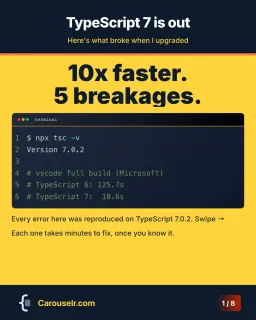
Put the code on slides, export them as a PDF and upload the PDF as a document post. Set the code to at least 31 px on a 1080 px slide, or it ends up smaller than the smallest text Apple recommends once LinkedIn shrinks the slide to phone width.
The rest of this page shows why, with the numbers.
Can you format code in a LinkedIn post?
No. The post box has no formatting tools at all. When we opened it in September 2026 it offered a proofreading button, emoji, an image button, a badge icon and a “+” menu with Event, Job, Poll and Document. There is no monospace font, no code block and no syntax highlighting. Whatever you paste shows up in the same font as the rest of your post, so anything you lined up with spaces drifts out of line. (We haven’t tested what happens to indentation.)
Articles do a little better: the article editor has a Code format in its toolbar. But an article is a separate page people have to click into, and most of your network only ever sees the feed.
Four ways to share code on LinkedIn, compared
| Readable on a phone | Copyable | Swipeable | Effort | |
|---|---|---|---|---|
| Paste as plain text | Poorly, no monospace | Yes | No | None |
| One image of the code | If the snippet is short | No | No | Low |
| Document post (a PDF carousel) | Yes, if the code is big enough | Depends on the PDF | Yes | Medium |
| Link to a gist or repo | Only after leaving LinkedIn | Yes | No | Low |
The document post is the only option that stays in the feed and still reads like code. Its weak spot is copying. LinkedIn lets anyone who can see your post download the document as a PDF, but whether they can copy text out of it depends on how the PDF was made. You can’t copy text out of ours: Carouselr exports every slide as a picture. If you want people to run your snippet, put a link to the gist or repo in the post text. Then they get both.
How to post a PDF carousel on LinkedIn
On LinkedIn, a “carousel” in the feed is a document post. The carousel ad is a different, paid format with its own rules (2 to 10 cards), and many guides mix the two up. Here are the steps for a document post on desktop, from LinkedIn’s help page on documents:
- Start a post.
- Open the “+” menu and pick Document. The help page still calls this More, then Add a document.
- Choose your file. Dropbox and Google Drive are offered as well.
- Give the document a title. The upload FAQ lists a missing title as a reason uploads fail.
- Click Done, write the post text and publish.
The limits: PPT, PPTX, DOC, DOCX or PDF, up to 100 MB and 300 pages, one document per post. Once it’s published you can edit the title and the text, not the file. A typo on slide 4 means deleting the post and publishing it again, so read every slide before you hit Post.
How to make the code slides
Any tool that exports a PDF will do. This is how it works in Carouselr, the tool we make. We’re biased about the tool, but the numbers in the next section hold for any of them.
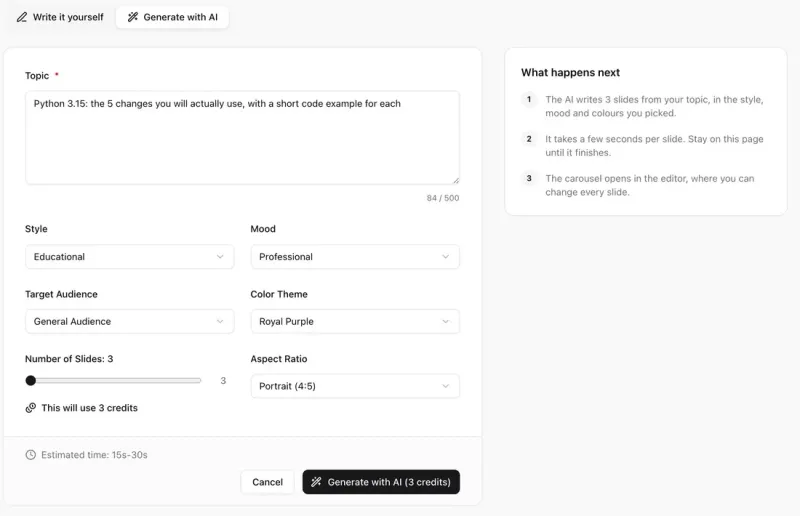
1. Create a carousel. Write the slides yourself, or type one topic line and let AI draft them (one credit per slide).
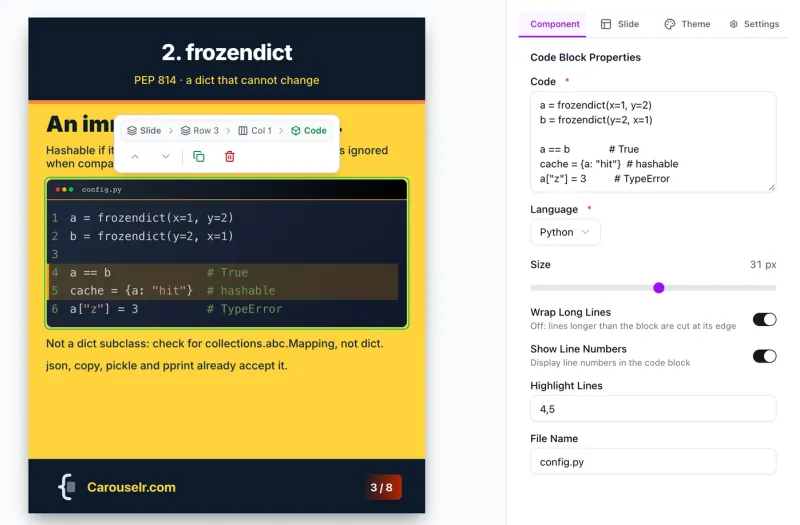
2. Add a code block. Paste the code, pick the language, set the size, and mark the lines that matter under Highlight Lines. The file name goes in the bar at the top.
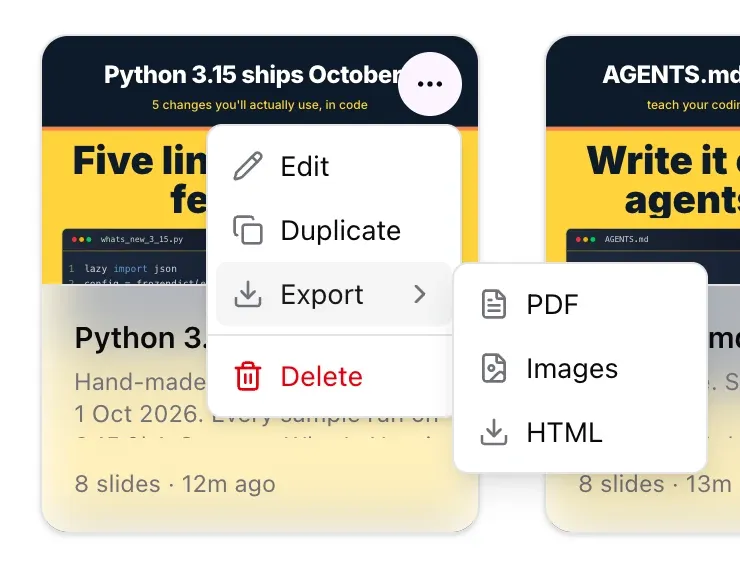
3. Export and upload. Open the project menu, choose Export, then PDF, and upload the file with the steps above.
The free plan gives you 3 carousels of up to 8 slides, exported as PDF with a watermark. Pro costs €12 a month and raises that to 20 slides, with no watermark.
What code size is readable on a phone?
Our slides are 1080 px wide. A phone held upright is about 390 points wide, so the slide is shown at 390 / 1080, or 0.36 of its size, at most. Any margin LinkedIn puts around it makes it smaller. We haven’t measured LinkedIn’s app on a phone, so read the numbers below as the best case.
Apple’s Human Interface Guidelines give 17 pt as the default text size on iOS and 11 pt as the minimum. On an iPhone a point is one CSS pixel, which keeps the maths short:
| Code size on the slide | Size on a 390 pt phone screen |
|---|---|
| 19.2 px | 6.9 pt |
| 24 px | 8.7 pt |
| 28 px | 10.1 pt |
| 31 px | 11.2 pt |
| 36 px | 13.0 pt |
To reach Apple’s 11 pt minimum, code needs about 31 px on the slide. Reaching the 17 pt default would take 47 px, and at that size a slide holds almost no code. The rule isn’t only for code, either. Body text at 30 px comes out at 10.8 pt, and at 24 px it’s 8.7 pt.
What 31 px costs you
Room. We found out on our own slides. Our first four carousels, made for our own launch posts, used code at about 24 px, with up to 10 lines per slide. On a laptop they looked fine. On a phone that code would be about 8.7 pt. When we set every code block to 31 px, 20 of the 24 code slides no longer fit.
So we rebuilt the Python 3.15 one before posting it. Each code slide now holds 5 or 6 lines, the longest line is 46 characters, and all the text is 30 px or more, apart from the small file-name label. Almost all of it came from cutting: shorter comments, one example where there were two, two short notes under the code instead of a list of three.

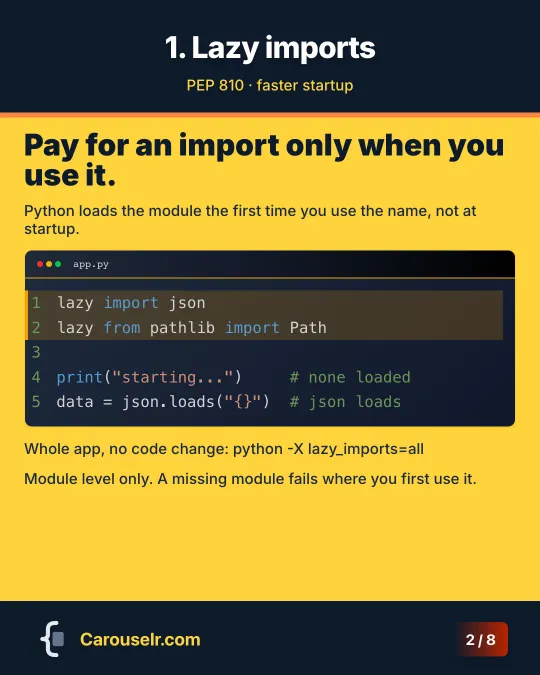




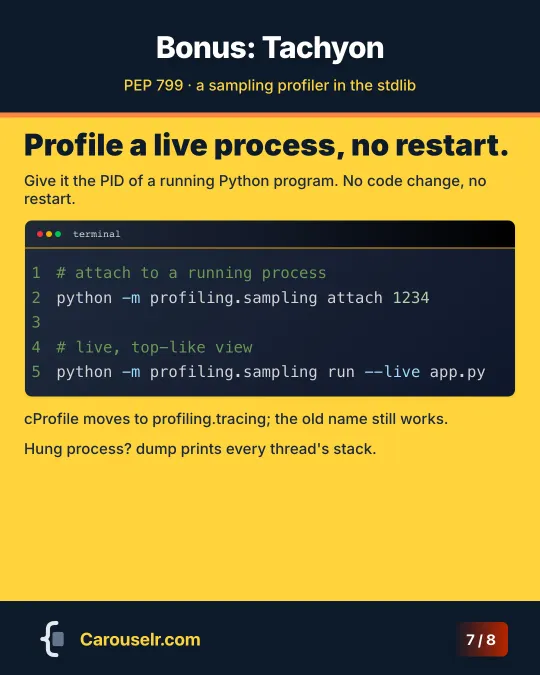
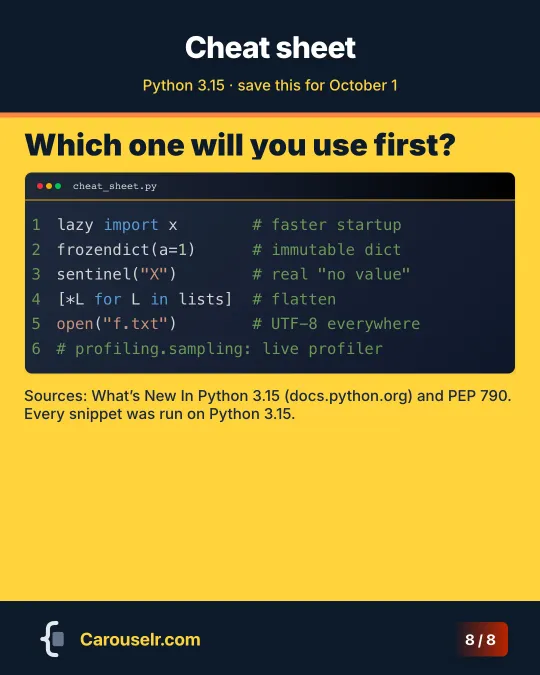
The rule of thumb we took from it: on a 4:5 slide with a title and one sentence, plan for about six lines of code at 31 px, none much longer than 46 characters. A longer snippet goes on two slides. For the other rules we use on code slides, see LinkedIn carousels for developers.
Questions people ask
How do you post code on LinkedIn?
Put the code on slides, export them as a PDF and upload the PDF from the “+” menu, under Document. Plain text works for a one-liner, but posts have no code formatting.
How do you make a code snippet for LinkedIn?
Use any tool that renders code with syntax highlighting and exports an image or a PDF. Keep it short: at 31 px, about six lines fit on a 4:5 slide next to a title.
Can LinkedIn articles show code?
The article editor has a Code format in its toolbar. We haven’t tested how it renders a longer snippet, so check the preview before you publish.
How many pages can a LinkedIn document have?
Up to 300 pages and 100 MB, one document per post.
What should I post about?
New releases of the tools you already use are the easiest start: they come with a date, and you already know the subject. We wrote that up in personal branding for developers.